
Team Profiles Pro
Turn your “Meet the team” page into something people actually look at. Pro adds new layouts, staff search, animations, pop-ups and spreadsheet import to the free Modernise Team Profiles plugin.
£10 one-off payment · no subscription
- Works with any theme
- No page builder needed
- Nothing breaks if you turn it off
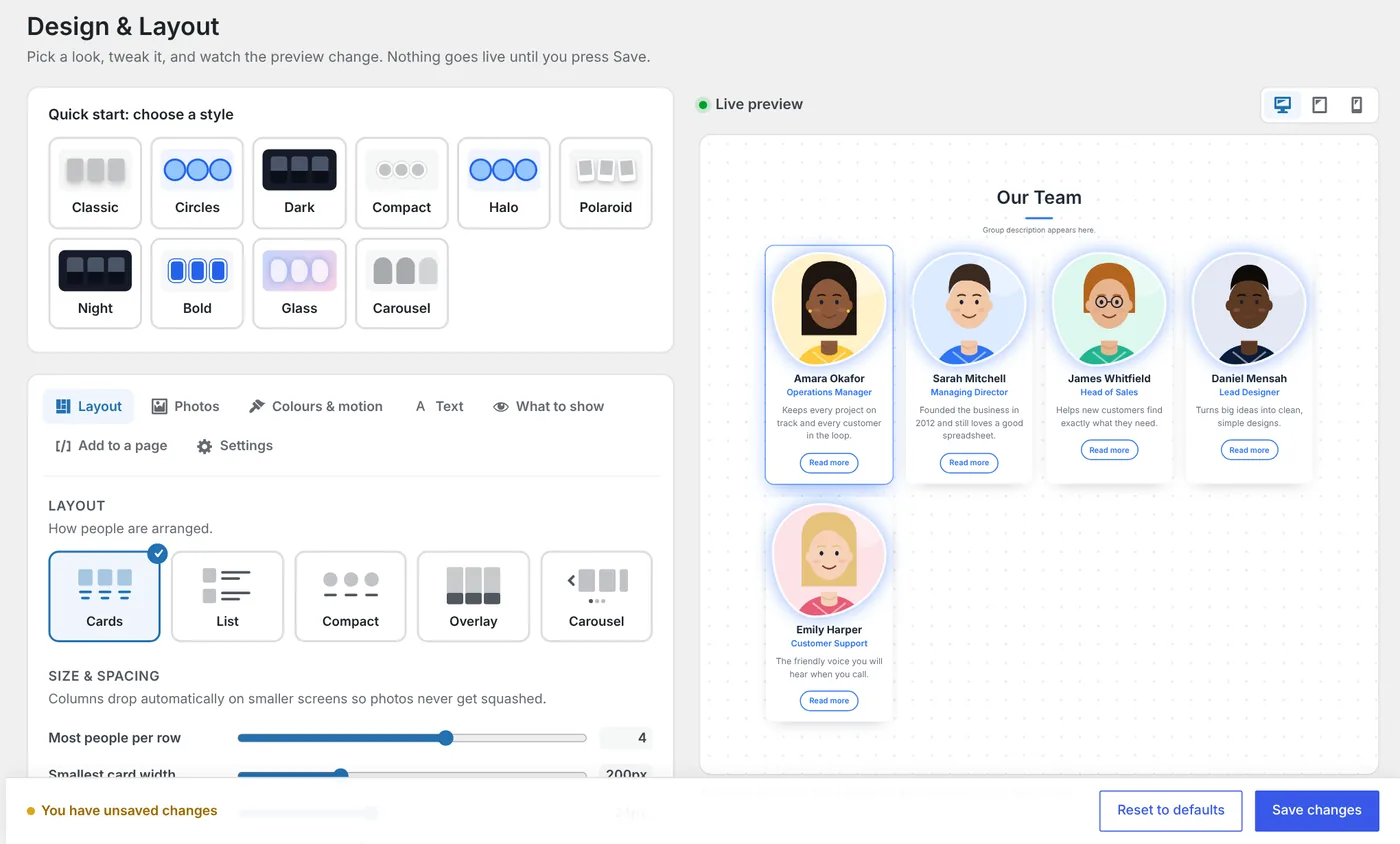
One plugin, lots of looks
Pick a style. Make it yours.
Start from a one-click style, then change the colours, fonts, frames and motion until it fits your website.
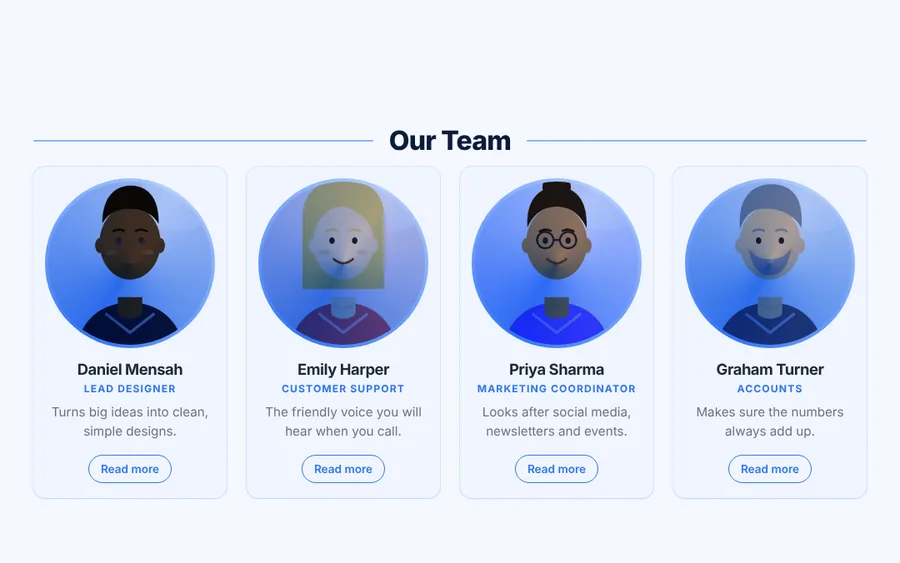
Halo
Circle photos with a gradient ring and a zoom-in entrance.

Night
Names written over the photo, on a dark background.
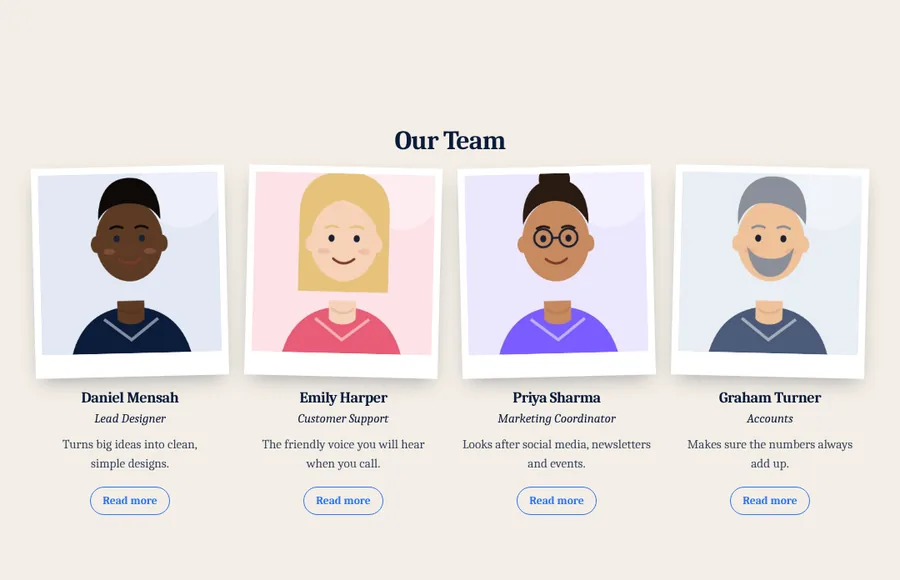
Polaroid
Instant-photo frames that drop in and tilt on hover.
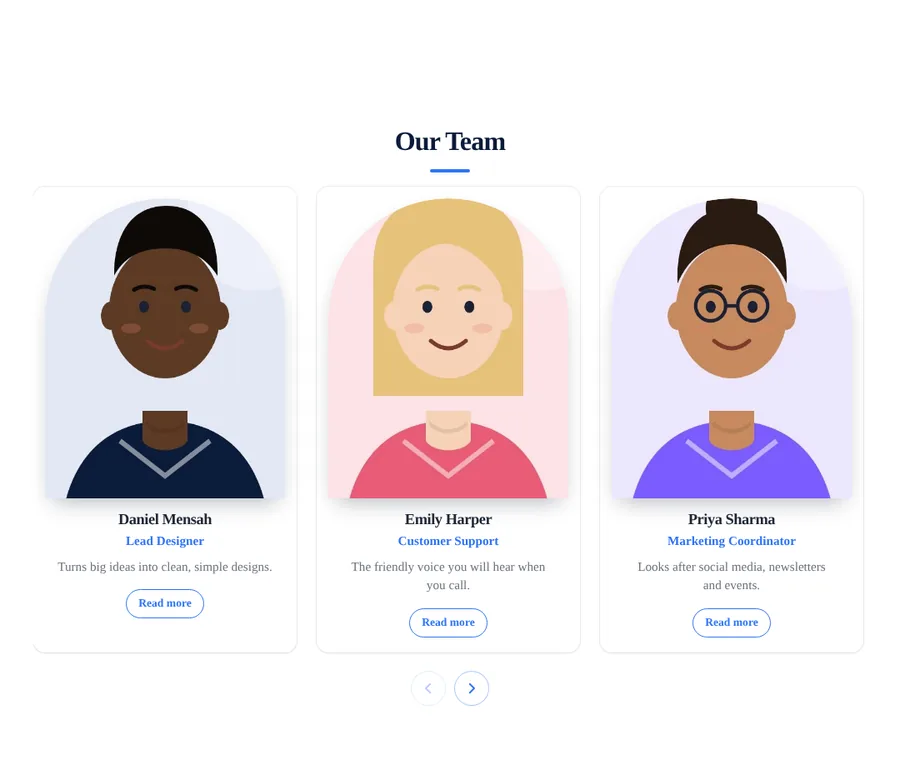
Carousel
A sliding row with arrows, and optional auto-play.
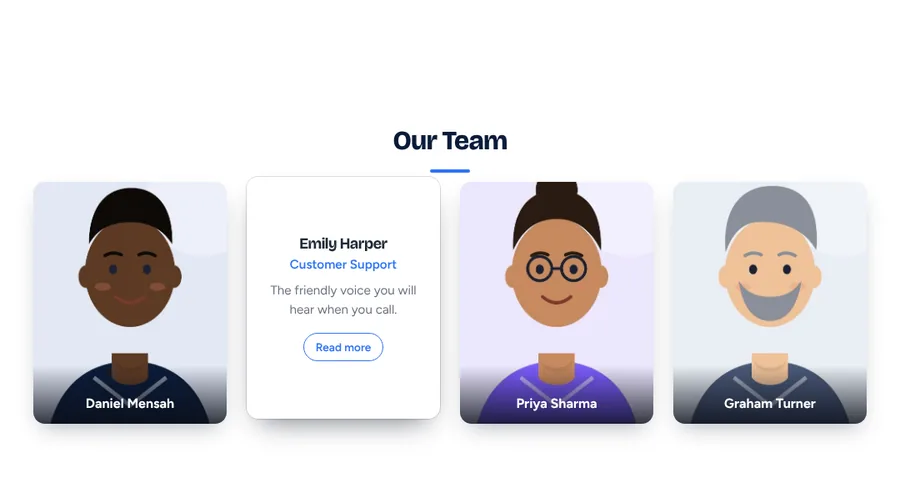
Flip cards
The photo flips over to show the job title and a short bio.
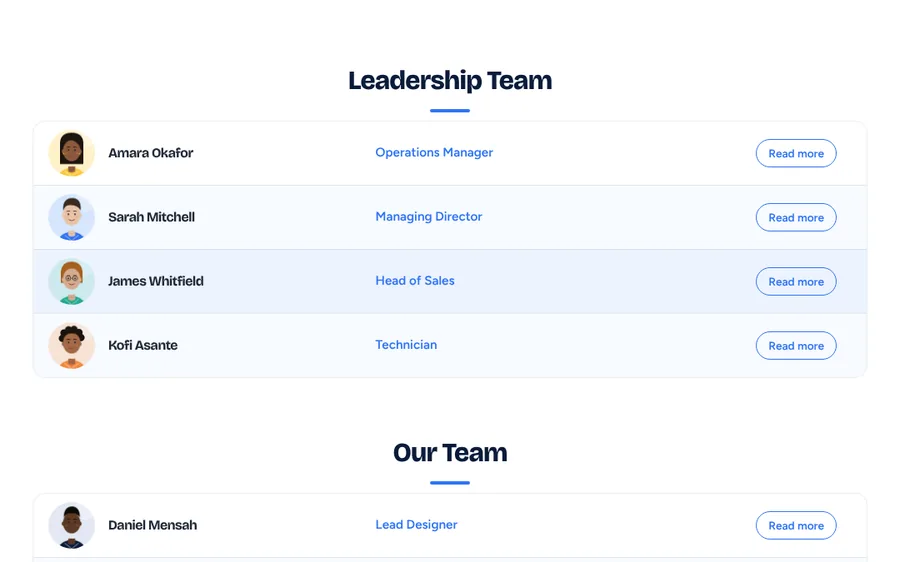
Directory
Neat rows with a small photo – ideal for big staff lists.
Example team made up for this page. Your team page uses your own people and photos.
What Pro adds
Everything in the free plugin, plus…
PRO
More layouts
Overlay, carousel, directory rows for big staff lists, zigzag and flip cards.
PRO
Staff search & group filters
A search box and Everyone / Leadership / Teachers buttons, just for your team page.
PRO
Shapes, frames & card styles
Hexagon, arch, squircle and more. Polaroid, gradient ring, glow frames. 10 card styles.
PRO
Your colours and fonts
Any accent, card and text colour, 6 font styles, 10 heading and 9 job-title styles.
PRO
14 animations & 12 hover effects
Rise, flip, bounce, unfold… plus lift, 3D tilt, shine, black-and-white to colour and more.
PRO
“Read more” pop-ups
Keep cards tidy and show each person’s full bio in a neat pop-up.
PRO
Your own fields & show dates
Add details like Subject or Pronouns, and set start and leave dates so people appear and disappear by themselves.
PRO
Spreadsheet import & export
Add your whole team from a spreadsheet in one go, or download everyone as a backup.
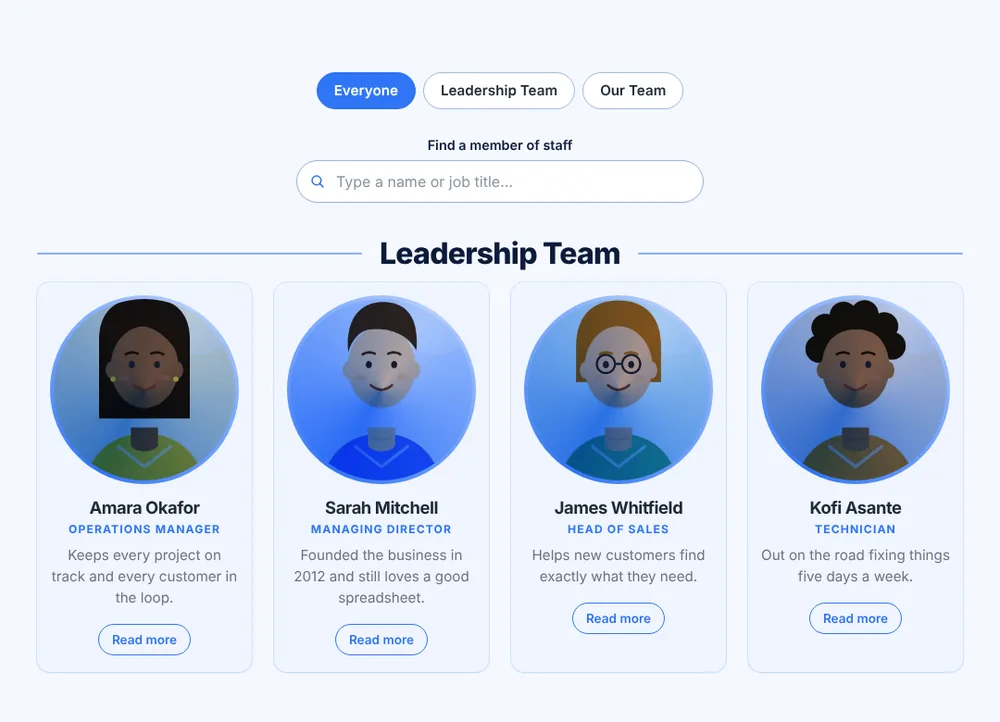
Staff search & filters
Find anyone in seconds.
Add a search box and group buttons above your team page. Visitors type a name or job title, or tap a group, and the page filters instantly – no reloading. Perfect for bigger teams and schools.
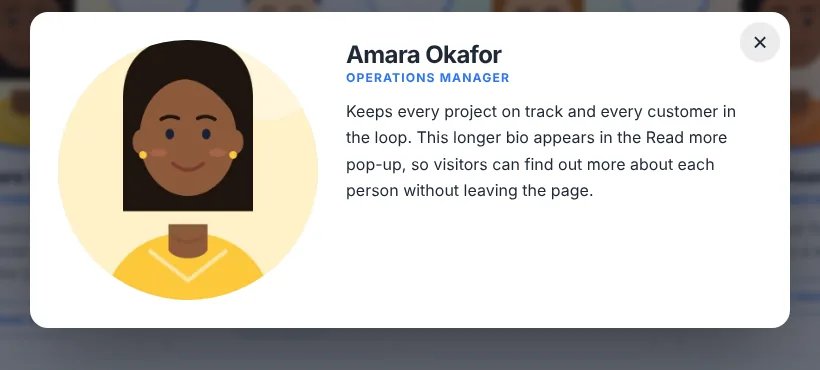
Read more pop-ups
Tidy cards. Full stories.
Keep your team page short and neat, and let visitors open a pop-up to read each person’s full bio. It works with a keyboard and screen readers, and closes with a click or the Esc key.
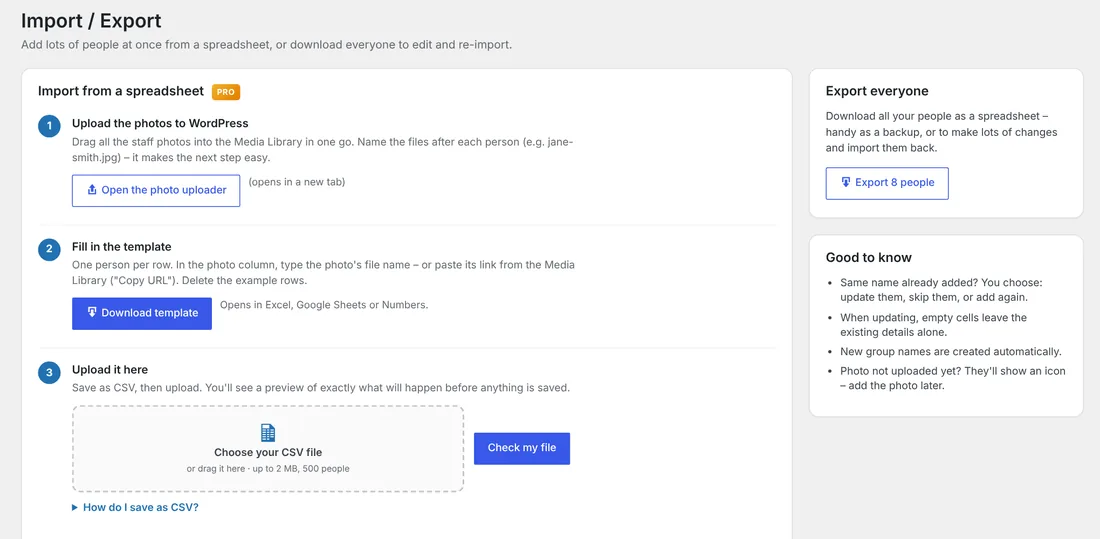
Import & export
Add the whole team in minutes.
Big team? Fill in a simple spreadsheet, upload it, and Pro adds everyone at once – matching photos from your Media Library. You’ll see a preview before anything changes, and you can export everyone as a backup.
Free vs Pro
Start free. Upgrade when you want more.
The free plugin is genuinely useful on its own – and always will be. Pro is for when you want your team page to really stand out.
| Free | Pro | |
|---|---|---|
| Groups, photos and placeholder icons | ✓ | ✓ |
| Live preview on computer, tablet and phone | ✓ | ✓ |
| Drag-and-drop ordering | ✓ | ✓ |
| Block and shortcode | ✓ | ✓ |
| Layouts | Cards, list, compact | + Overlay, carousel, directory, zigzag, flip cards |
| Photo shapes | 3 | 11 |
| Frames | 2 | 11, any colour and thickness |
| Card styles and colours | 8 accent colours | 10 card styles, any colour |
| Fonts and text styles | Your theme’s | 6 fonts, 10 heading and 9 job-title styles |
| Entrance animations | Fade | 14, with speed controls |
| Hover effects | Lift | 12 |
| Staff search and group filter buttons | – | ✓ |
| “Read more” pop-ups | – | ✓ |
| Your own fields and show from / until dates | – | ✓ |
| A different look for each group | – | ✓ |
| Spreadsheet import and export | – | ✓ |
Get Team Profiles Pro for £10
A one-off payment. No subscription and no licence key.
- All Pro layouts, styles and effects
- Staff search and group filters
- “Read more” pop-ups
- Spreadsheet import and export
- Works alongside the free plugin
How it works
FAQs
Questions about Team Profiles Pro
Something not covered here? Just ask.
Do I need the free plugin too?
Yes. Team Profiles Pro is an add-on, so install the free Modernise Team Profiles plugin first, then upload Pro. Everything appears on the same Design & Layout screen, marked PRO.
What happens if I turn Pro off?
Nothing breaks. Your team page falls back to the nearest free options, and all your people, photos and groups stay exactly as they are.
Will it work with my theme?
It’s designed to work with any well-built WordPress theme, and it doesn’t need a page builder.
Is it a subscription?
No. It’s a one-off payment of £10.
How do I get it after paying?
You’ll receive the Pro plugin as a zip file. In WordPress, go to Plugins → Add New Plugin → Upload Plugin, choose the zip and click Activate.
I have a question before buying.
Happy to help – send me a message or email hello@modernisemybusiness.co.uk.
More plugins
Other plugins you might like
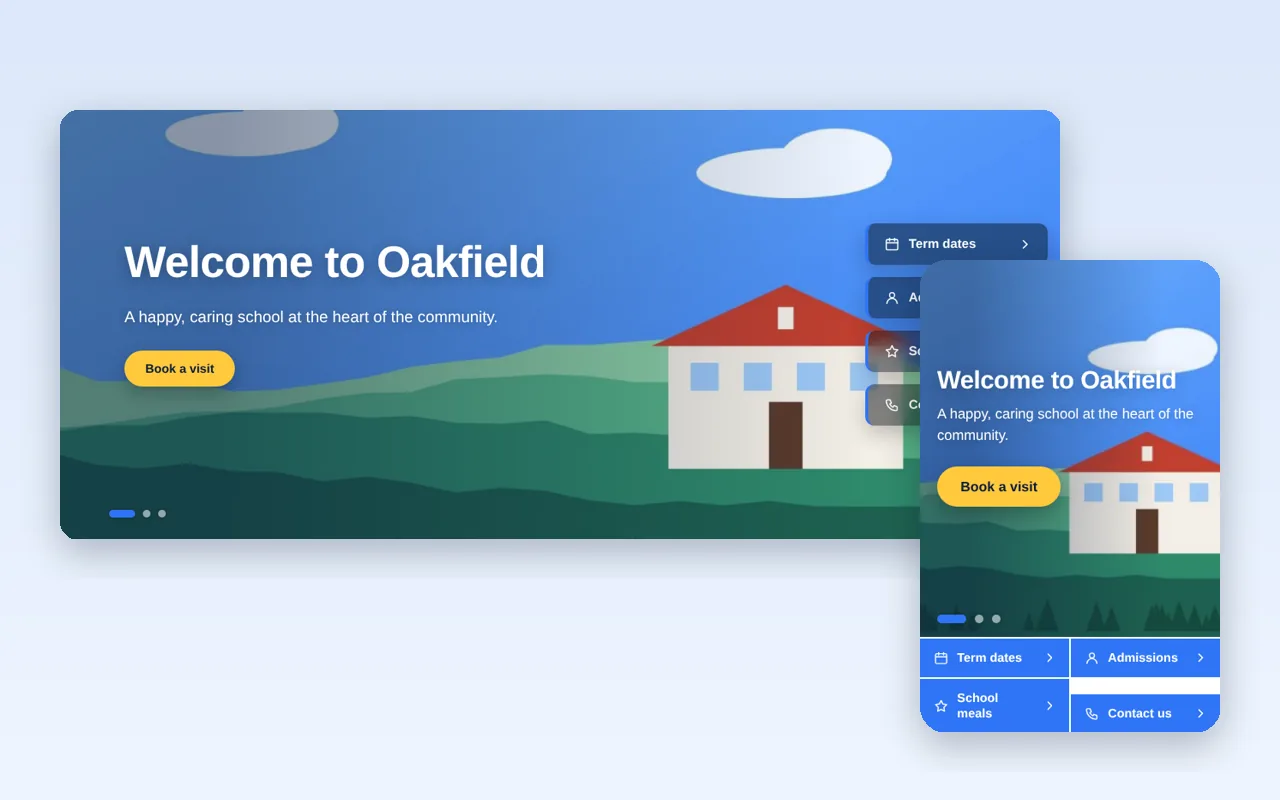
Linkslide
A full-width homepage slider with quick links that stay put while the pictures change.
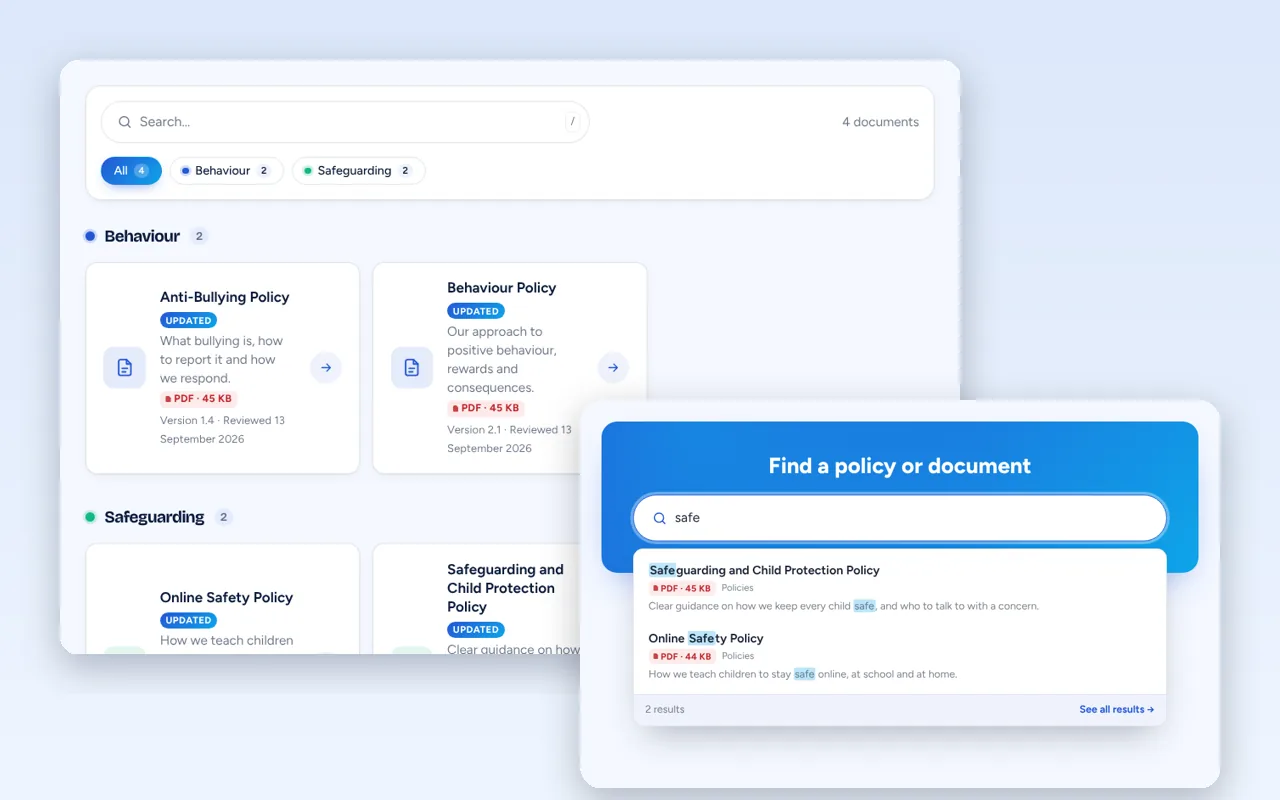
Policy Hub
One tidy home for your policies and documents – with search, categories and links that never break.