
Linkslide Pro
A homepage slider with quick links that stay in place while the pictures change. Pro adds focal points, eye-catching transitions, your own fonts and buttons, and icons on your quick links.
£10 one-off payment · no subscription
- Works with any theme
- Block and shortcode
- Looks great on phones

One slider, lots of looks
Make it look like your website.
Change the transition, fonts, buttons, arrows, dots and quick links until the slider fits your brand.

Ken Burns
A slow, gentle zoom with frosted quick links and icons.

Curtain
Edge quick links on the left, an elegant serif font and an outline button.

Circle reveal
Floating white quick links, a rounded font and line-style dots.
Example school made up for this page. Your slider uses your own pictures and links.
What Pro adds
Everything in the free plugin, plus…
PRO
Focal point
Click the part of each picture that must always show – set separately for computers and phones, with live previews.
PRO
6 extra transitions
Ken Burns, blur, curtain, circle reveal, flip and parallax – plus zoom strength and direction.
PRO
Per-slide timing
Give any slide its own transition and how long it stays on screen.
PRO
Text animations
Six ways for headings and text to appear, from fade up to blur in.
PRO
Fonts & text
Your theme’s font, 7 ready-made font styles or your own – with sizes, weight, shadow and width.
PRO
Buttons, arrows & dots
Button shapes, fills and colours. 4 arrow styles and 4 dot styles, including numbers.
PRO
Overlay fades
Fade the dark tint from the left, right, top or bottom so your text stays easy to read.
PRO
Quick link styles & icons
Attached to the edge or floating cards, any colour and roundness, with 20 icons to choose from.
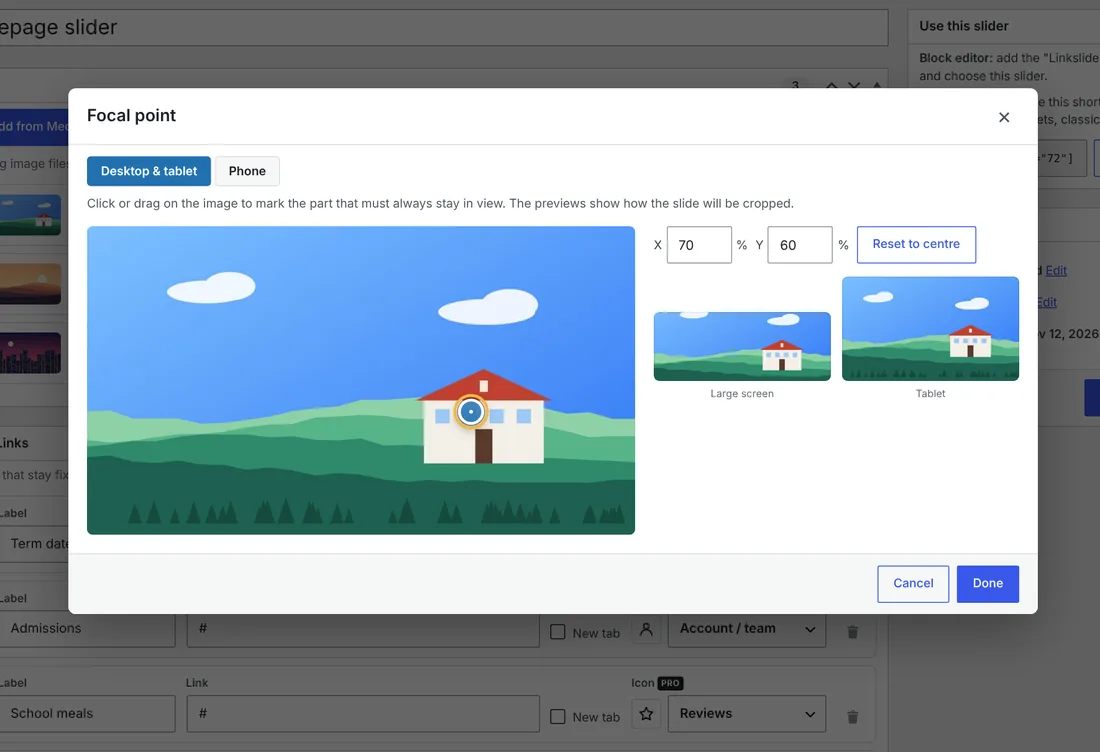
Focal point
Never chop off the important bit.
Click the part of a picture that matters – a face, a sign, a building – and Linkslide keeps it in view on every screen size. Set a different spot for phones, and see the result straight away in the previews.
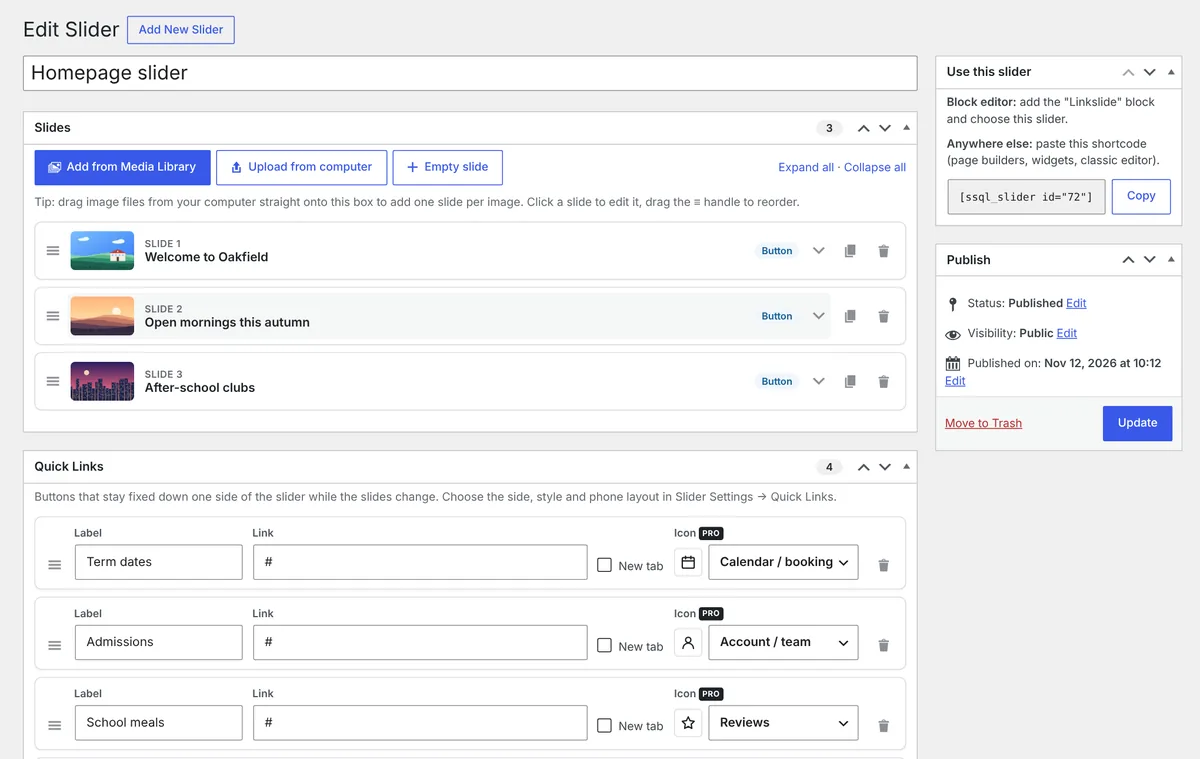
Easy to manage
Everything on one screen.
Add pictures in bulk, drag slides into order and edit each one in place. Quick links sit underneath with an icon picker, and the block or shortcode puts the slider anywhere on your site.

On phones
Looks right on every screen.
Set a different height for computers, tablets and phones, and choose how quick links appear on small screens – so the slider never feels squashed.
Free vs Pro
Start free. Upgrade when you want more.
The free Linkslide Overlay Slider is a complete slider on its own. Pro is for when you want it to look and move exactly how you like.
| Free | Pro | |
|---|---|---|
| Unlimited sliders and bulk add | ✓ | ✓ |
| Separate phone picture for each slide | ✓ | ✓ |
| Heading, text and button on each slide | ✓ | ✓ |
| Quick links that stay on top of the slider | ✓ | ✓ |
| Heights for computer, tablet and phone | ✓ | ✓ |
| Block and shortcode | ✓ | ✓ |
| Transitions | Fade, slide, slide up, zoom | + Ken Burns, blur, curtain, circle, flip, parallax |
| Quick link styles | 3 | + floating cards, colours, roundness and 20 icons |
| Focal point for computers and phones | – | ✓ |
| Transition and timing for each slide | – | ✓ |
| Text animations | – | 6 |
| Fonts, sizes and text shadow | Your theme’s | Theme, 7 styles or your own |
| Button, arrow and dot styles | Standard | 3 shapes, 4 arrow and 4 dot styles |
| Overlay fades | Even tint | + fade from any side |
Get Linkslide Pro for £10
A one-off payment. No subscription and no licence key.
- Focal points for computers and phones
- 6 extra transitions and text animations
- Fonts, buttons, arrows and dots
- Quick link styles and icons
- Works alongside the free plugin
How it works
FAQs
Questions about Linkslide Pro
Something not covered here? Just ask.
Do I need the free plugin too?
Yes. Linkslide Pro is an add-on, so install the free Linkslide Overlay Slider first, then upload Pro. The extra options appear in your slider settings, marked PRO.
What happens if I turn Pro off?
Nothing breaks. Your sliders keep working with the free options, and all your slides and quick links stay as they are.
Can I have more than one slider?
Yes – as many as you like, on any page, using the Linkslide block or a shortcode.
Is it a subscription?
No. It’s a one-off payment of £10.
How do I get it after paying?
You’ll receive the Pro plugin as a zip file. In WordPress, go to Plugins → Add New Plugin → Upload Plugin, choose the zip and click Activate.
I have a question before buying.
Happy to help – send me a message or email hello@modernisemybusiness.co.uk.
More plugins
Other plugins you might like

Team Profiles
A beautiful “Meet the team” page in minutes – with groups, photos and a live preview.
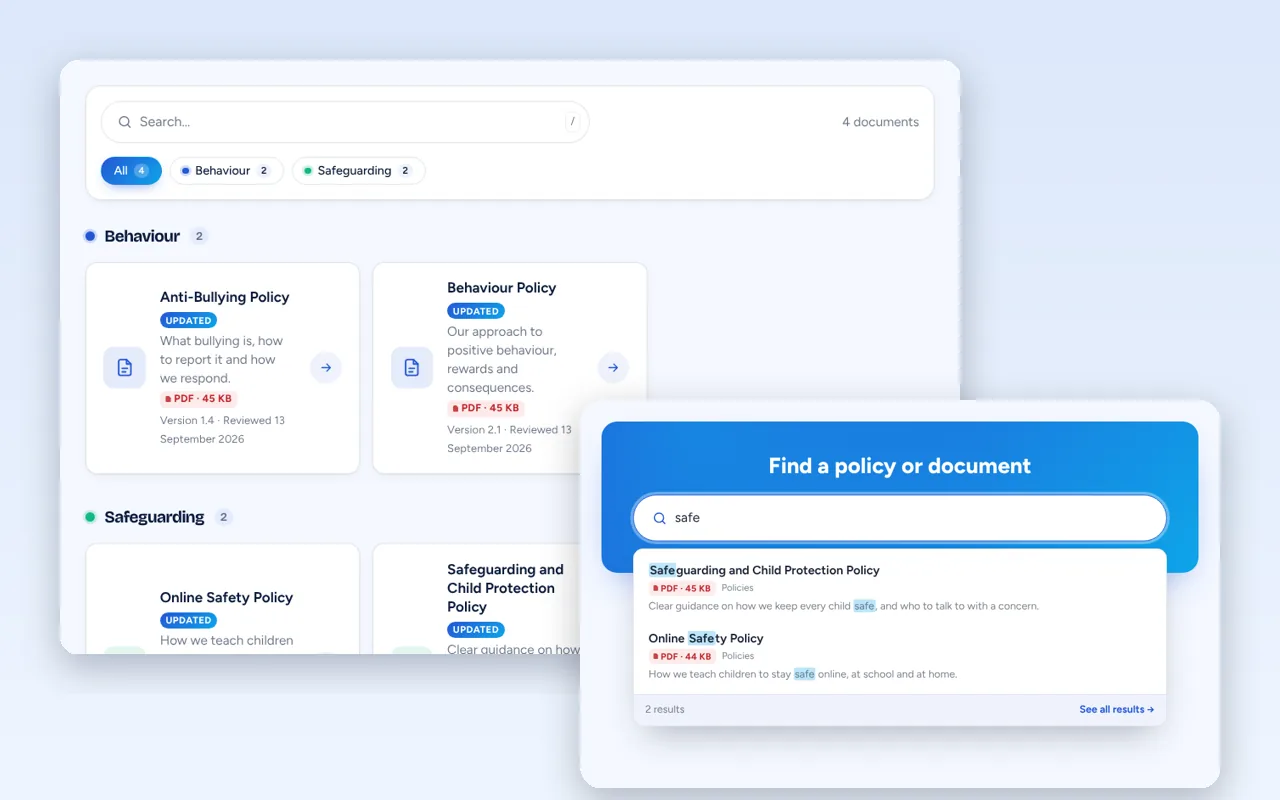
Policy Hub
One tidy home for your policies and documents – with search, categories and links that never break.